
Save any recipe.
Cook it hands-free.
Keep recipes from websites, Instagram and TikTok in one place. When it is time to cook, follow each step with timers and an assistant that works right on your iPhone or iPad.

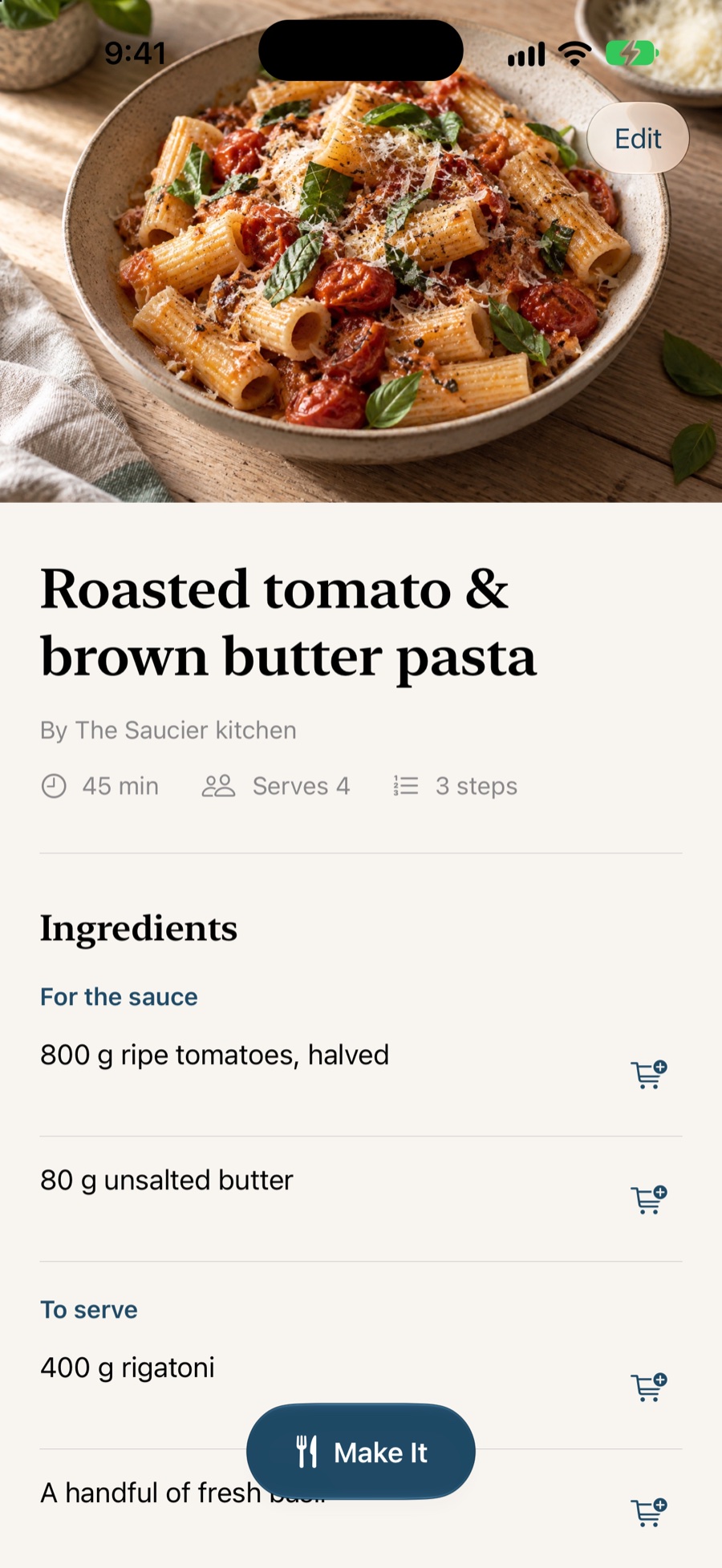
- No Saucier server
- Syncs over your own iCloud
- On-device intelligence
- Free, no subscription
Save recipes from any website in two taps
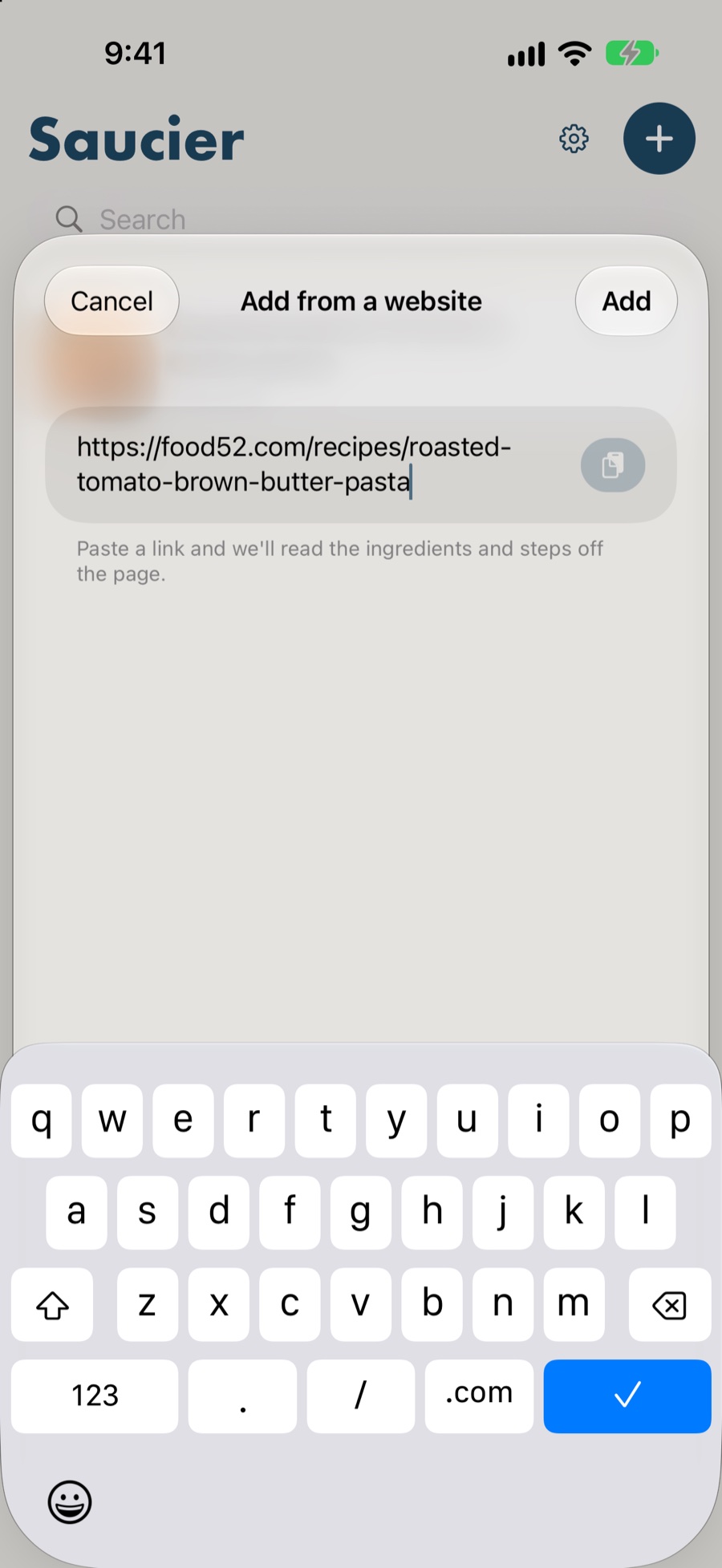
Share any page to Saucier from Safari and it keeps the parts you came for — ingredients, method, servings, timings, nutrition — and leaves the ads, the pop-ups and the thousand words about someone's holiday behind.
Paste a link instead if you prefer. Saucier spots a recipe URL already on your clipboard and offers to save it before you have typed anything.
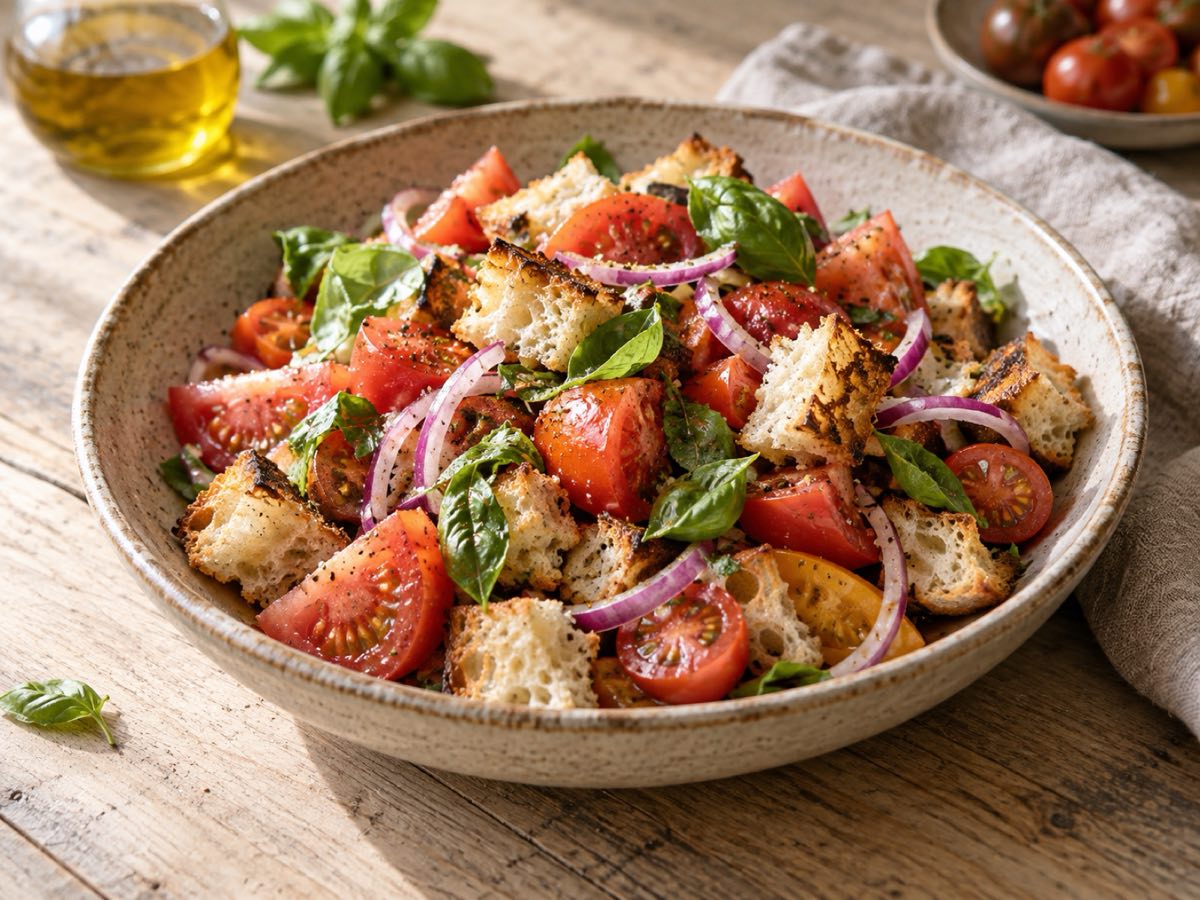

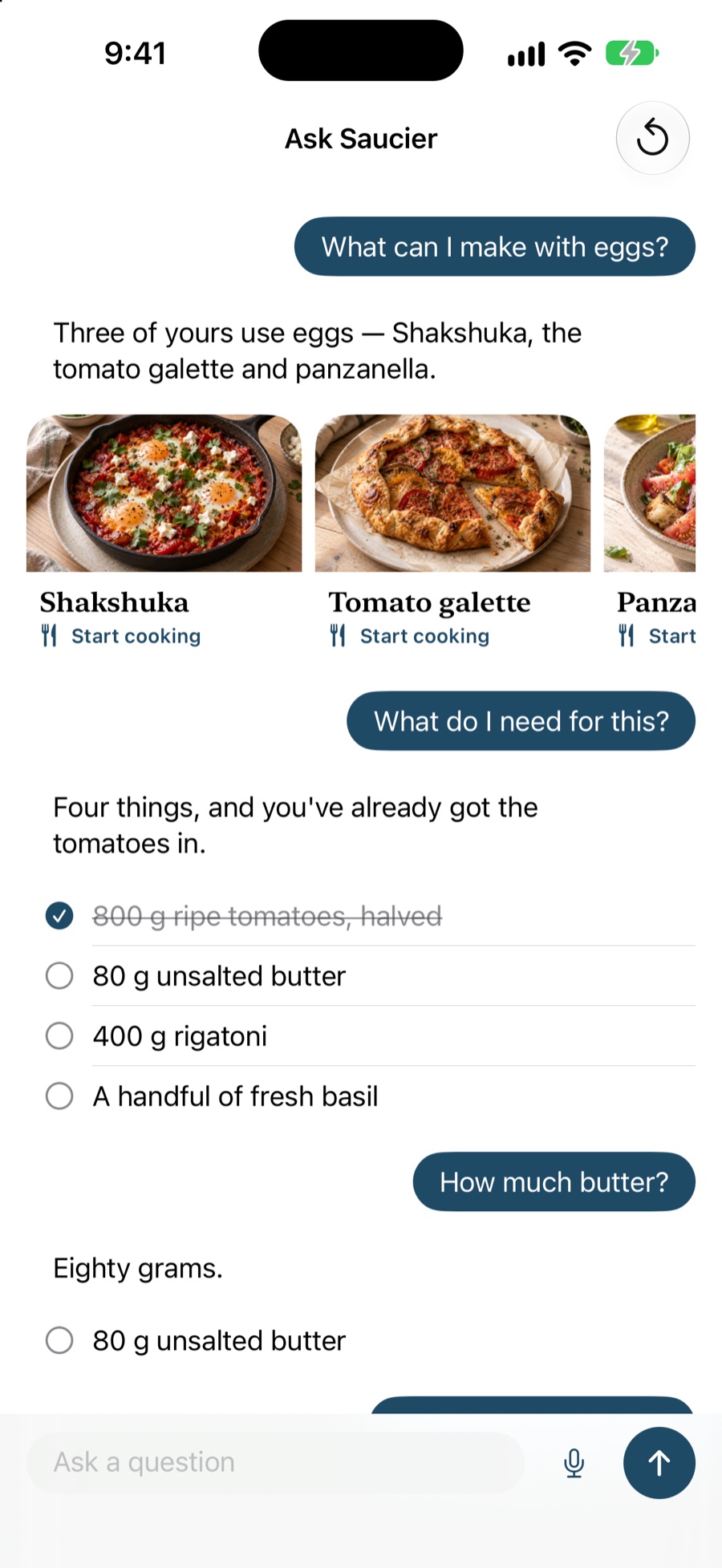
“What can I make with eggs?”
Three of yours use eggs — and Saucier worked that out on your phone, from your own library, without asking anyone on the internet.
An AI cooking assistant that runs on your iPhone
Ask Saucier what you can make with what is in the fridge, how much butter the recipe wanted, what to use instead of buttermilk, or what 200 g is in cups. It answers from your own library and from the recipe in front of you — not from the open web.
Turn Voice on and it listens, answers out loud and moves the recipe on a step, so nothing needs touching between putting a pan down and picking it up again. It is built on Apple Intelligence and runs on your device, which is why it works on a plane and why your questions never reach a server.
Cook mode, with timers that keep running
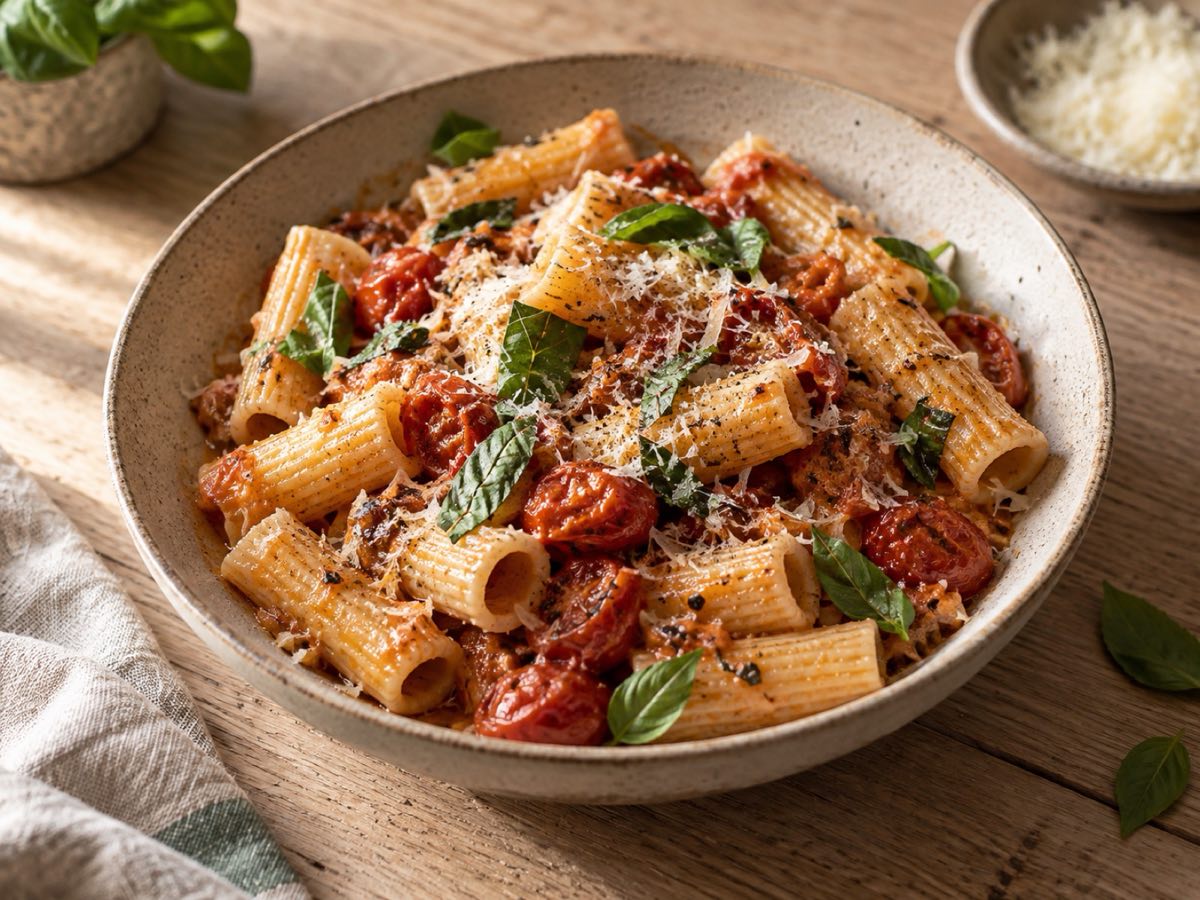
Tap Make It and the recipe becomes one step at a time, in type you can read from across the counter, on a screen that will not dim on you mid-fold.
Start a timer from a step and it carries on in the background, shows up on your Lock Screen as a Live Activity and tells you when it is done — even if you have left the app to answer a message. Several can run at once, and the On Now list keeps them all in one place.
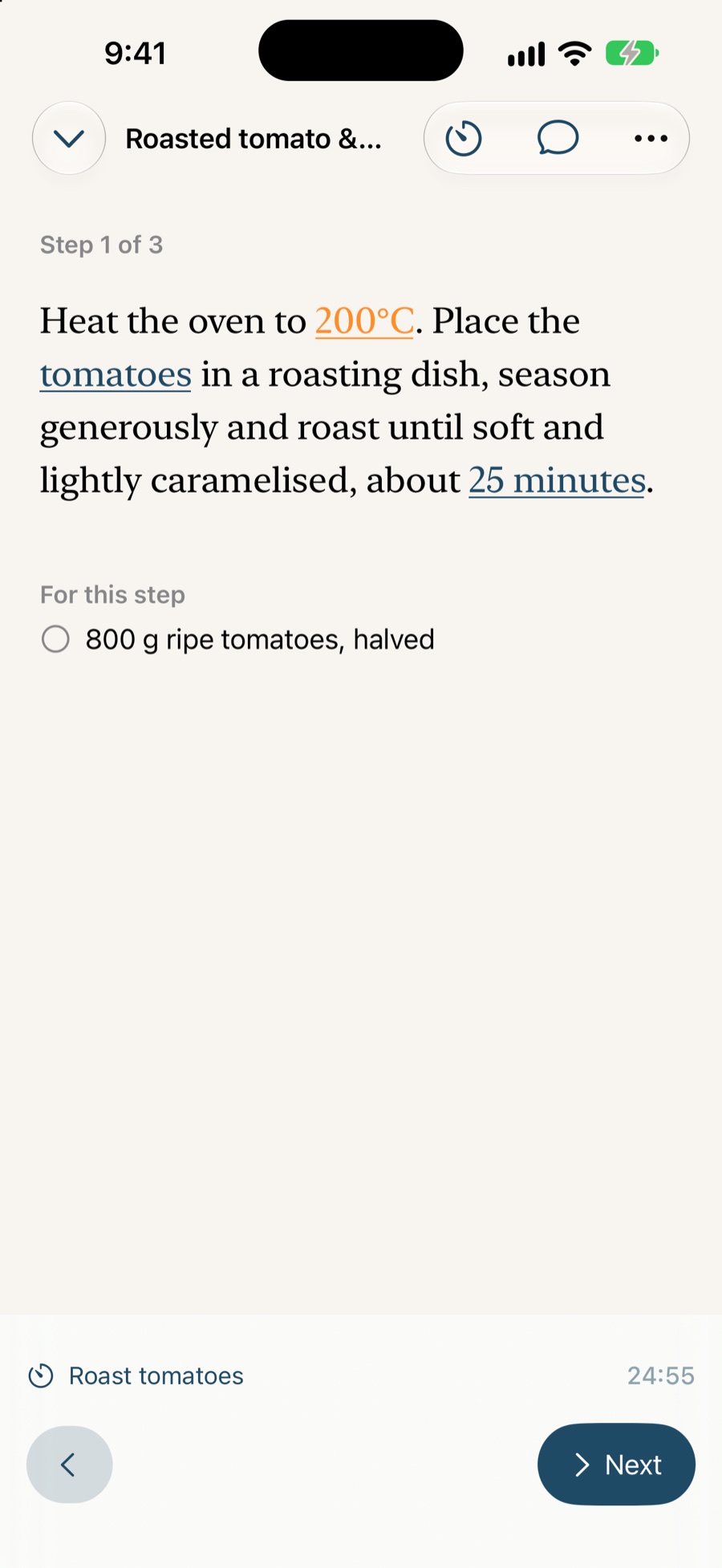
Plan the week. Make one grocery list.
Put recipes into breakfast, lunch, dinner or snack slots and set how many people each meal will feed. Saucier gathers the ingredients for the whole week, combines matching items and groups them by aisle.
Tick things off as you shop, share the list or send what is left to Reminders. Recipe nutrition estimates are available in beta, with a clear count of the ingredients the estimate could use.
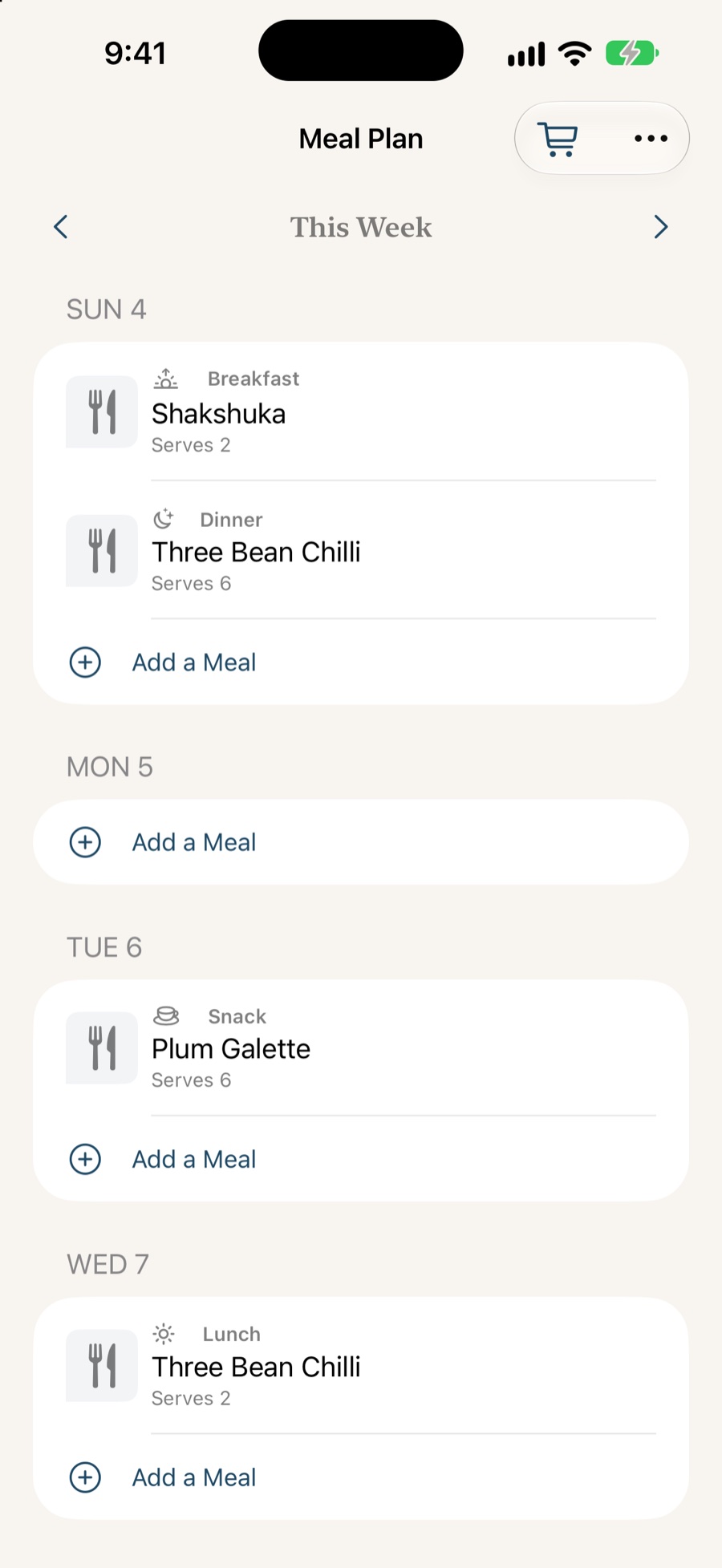
Everything you cook, in one place
A recipe you cannot find again is a recipe you did not save. Saucier is built around getting back to things quickly.
Search that finds ingredients
Search by name or by what is in it, so “the one with the anchovies” is actually findable. Your recipes also show up in Spotlight from the Home Screen.
Categories and folders
File recipes under weeknights, baking, or whatever matches how you cook, and filter the library down to one of them in a tap.
iCloud sync
Save on your iPhone, cook from your iPad. Everything syncs through your own iCloud account, with no Saucier account to make.
Home Screen widgets
Put what you cooked recently on the Home Screen, so getting back to last Tuesday's dinner takes one tap.
Straight to the grocery list
Send ingredients to your Reminders grocery list, one line or the whole recipe, and the button tells you it worked.
Edit anything
Needs more salt? Change the lines, reorder the steps, swap the photo, add notes for next time. It is your copy.
Scaling and conversions
Cooking for six instead of four, or working in grams when the recipe is in cups? Ask, and Saucier does the arithmetic.
Share with whoever cooks with you
Share a recipe over iCloud so edits show up for both of you, or send it as a file or a link to anyone else.
From a link to dinner
-
Share the page to Saucier
Open the recipe in Safari, Instagram, TikTok or any other app, tap the share button and choose Save to Saucier. You can also paste a link straight into the app.
-
Let Saucier read it
Saucier pulls out the ingredients, the method, the servings and any nutrition the page publishes, and drops the ads, the life story and the pop-ups.
-
Check it and save
Edit any line, pick a category and save. The recipe syncs to your other devices over iCloud.
-
Cook it
Tap Make It for step-by-step cook mode, with timers that keep running in the background and a screen that stays awake.
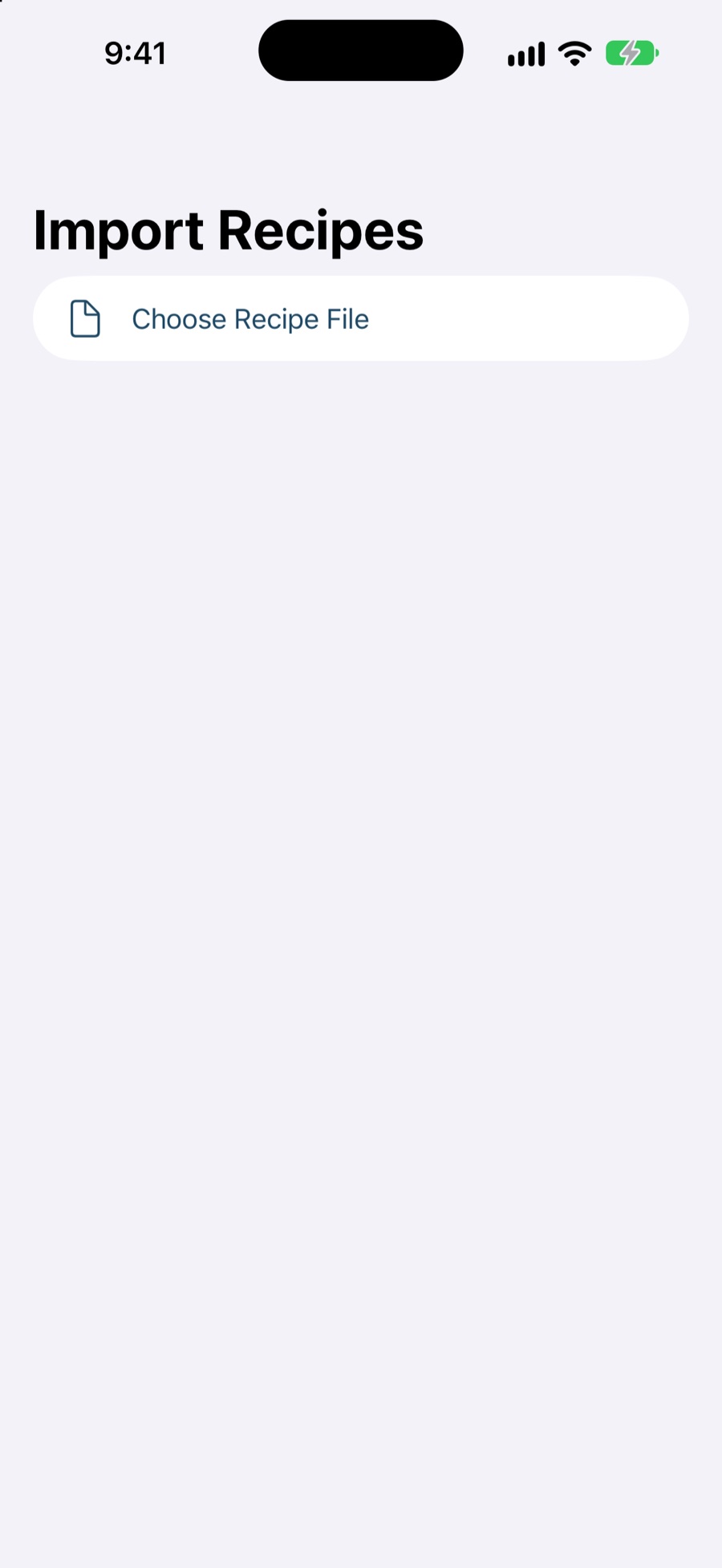
Bring the recipes you already have
Years of saved recipes are the reason most people stay in an app they
have stopped liking. Saucier reads Paprika's
.paprikarecipes export directly — titles, ingredients,
directions, notes, source links, photos and categories.
It also tells you, before anything is imported, which Paprika fields it has nowhere to put. Finding out months later that your ratings stayed behind is not a good way to find out.
No account. No ads. No tracking.
Saucier has no server of its own. Your recipes are stored on your device and synced through your private iCloud account, which means nobody at Saucier can read them — there is nowhere for them to look.
There is no analytics SDK, no advertising network and no sign-up. The Ask Saucier assistant runs on your iPhone or iPad using Apple Intelligence, so even your questions stay with you.
Frequently asked questions
Is Saucier free?
Yes. Saucier is free to download and use, with no subscription, no ads and no account to create. It is a side project rather than a business, and recipes you have already saved will always stay available to you.
Which websites does Saucier work with?
Any of them, in practice. Saucier reads the structured recipe data that most food sites publish, and where a page has none — a recipe written as a story in an Instagram caption, say — Apple Intelligence pulls the ingredients and steps out of the prose on your device.
Does Saucier need an internet connection to cook?
No. Your saved recipes, meal plan, grocery list, cook mode and timers work offline. Saving a new web recipe or looking up nutrition through the optional USDA source needs a connection.
Does Saucier send my recipes to a server?
No. Your recipes live on your device and sync through your own private iCloud account. There is no Saucier server, no analytics and no ad network. The Ask Saucier assistant runs on your iPhone or iPad, so your questions are not sent anywhere either. If you choose USDA as your nutrition source, ingredient names are sent directly to USDA for lookup.
Can I move my recipes over from Paprika?
Yes. Export a .paprikarecipes file from Paprika and open it in Saucier. Titles, ingredients, directions, notes, source links, photos and categories all come across, and Saucier tells you up front which Paprika fields it has nowhere to put.
What do I need to run Saucier?
An iPhone or iPad running iOS 26 or later. Ask Saucier and on-device nutrition estimates need Apple Intelligence. Meal planning and groceries work on any supported device; USDA nutrition lookups need a connection.
Still stuck? Visit help and support or email help@saucier-app.com.

Start with one recipe.
Paste a link to something you would cook this week. Saucier is free, needs no account, and never asks for your email.