

A recipe you liked at 11pm on a Tuesday is, three weeks later, in one of: a saved Instagram post you cannot find, a TikTok you have no search terms for, a browser tab among ninety others, or a screenshot in a camera roll with four thousand other screenshots. Nobody cooks from any of those.
Saucier’s job is to get it out of there and into one place.
From the share sheet, in two taps
Saucier installs a Save to Saucier action in the iOS share sheet. From Instagram, TikTok, Safari, Reddit, Messages — anywhere that can share a link or a post — tap share, tap Saucier, done. The recipe is read and saved without leaving the app you were in.
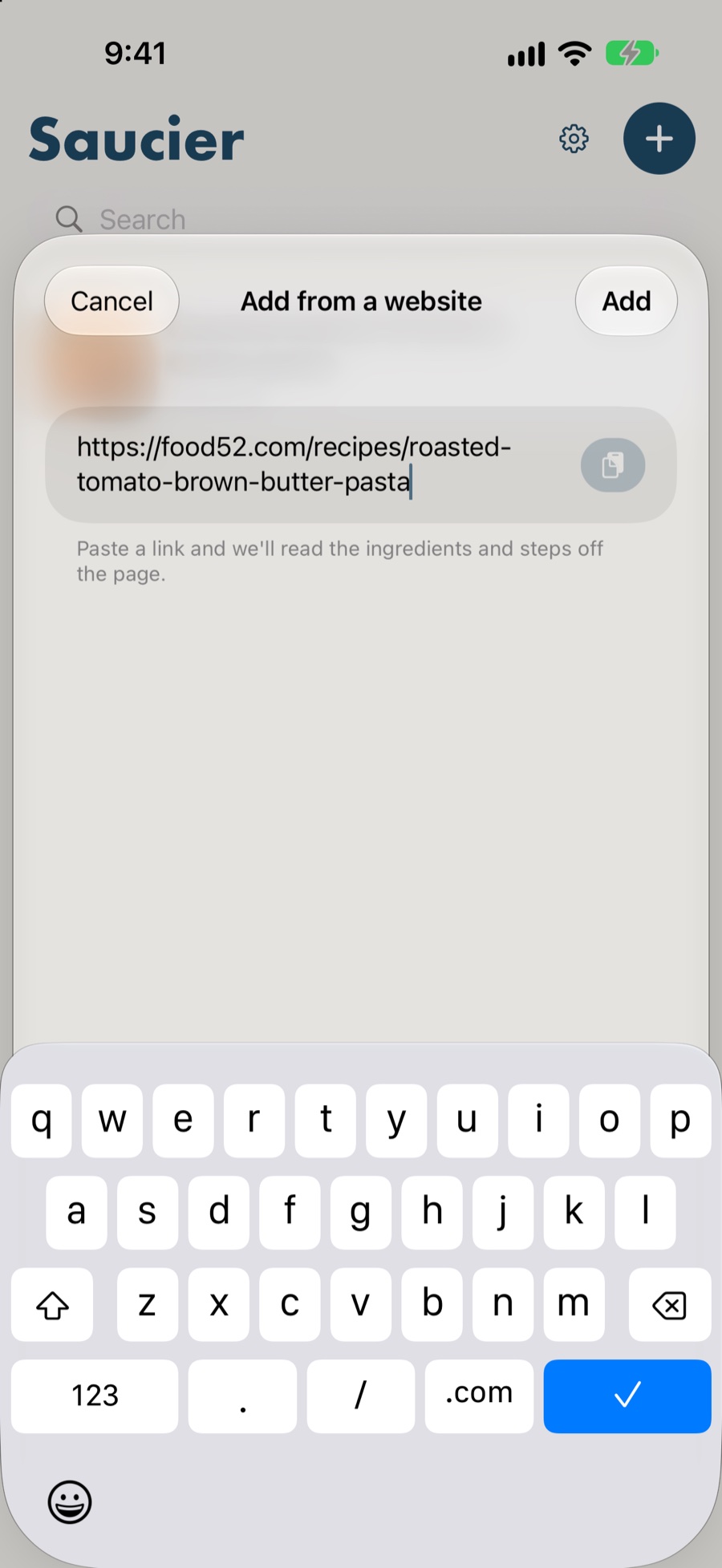
If you would rather not use the share sheet, copy the link and open Saucier. It notices a recipe URL sitting on your clipboard and offers to save it before you have typed anything.
Two ways of reading a page, because pages differ
Most food blogs publish their recipes as structured data underneath the page — a machine-readable ingredient list and method sitting behind all the photography and the story about the author’s trip to Tuscany. Saucier reads that directly. It is fast, it is exact, and it is why saving from a normal recipe site is instant.
Social posts do not do this. An Instagram caption is prose. A TikTok description is prose with emoji in it. There is no list to find because nobody wrote one.
This is where Saucier uses Apple Intelligence on your device to read the caption the way a person would and write out the ingredients and steps. It happens locally, so nothing is uploaded and it costs you nothing. How the on-device model works →
What gets kept, and what gets left behind
Kept:
- Ingredients, including section headings like for the sauce and to serve
- The method, in order, with its own headings intact
- Servings, timings and whatever nutrition the page published
- The photo
- A link back to the original, so you can always go and look
Left behind: the ads, the pop-ups, the cookie banner, the newsletter interstitial, the autoplaying video, and the eleven hundred words about the author’s grandmother.
Then it is yours
Once it is saved, it stops being somebody else’s web page:
- Edit any line. Quantities, steps, the lot. Saucier re-reads edited ingredient lines so the amounts still work when you scale or ask about them.
- Add notes for what you would do differently next time.
- Swap the photo for one of your own, or pick a different one from the page.
- File it under a category, and find it later by name or by ingredient.
- Reload from the website if the original has been corrected since.
- It syncs to your iPad over your own iCloud account.
And when you come to cook it, it is a proper cook mode with timers and voice — not a web page in a nicer font.
Already have a pile of recipes somewhere else?
If they are in Paprika, Saucier reads the export file directly. Importing your recipes →
Questions
Does this work with Instagram Reels and TikTok videos?
It works with the caption, which is where the recipe almost always lives. Share the post to Saucier and Apple Intelligence reads the ingredients and steps out of the text on your device. Saucier does not transcribe the video’s audio.
What about recipes written as a story, with no ingredient list?
Those are exactly the case the on-device model handles. A caption that says “I used about 200g of flour and a good knob of butter” has no structured data in it at all, and no HTML parser will find a list that was never written. Apple Intelligence reads the prose and produces one.
Which recipe websites are supported?
Effectively all of them. Most food sites publish machine-readable recipe data, which Saucier reads directly and quickly. Where a site publishes none, the on-device model handles it instead.
Does saving a recipe send the page to a server?
Your device fetches the page, the same way your browser would, and everything after that happens on the device. Saucier has no server, so the page, the recipe and your library are never sent to one.
Can I fix it if the page got something wrong?
Yes. Every line is editable before and after saving, you can reorder steps, swap the photo, and reload the recipe from its original website if the page has since been corrected.