

Saving recipes
- Share sheet — a Save to Saucier action in every app that can share a link, so saving from Safari, Instagram, TikTok, Reddit or Messages takes two taps without leaving the app you were in.
- Paste a link — type or paste a URL into the app. A partial address like
cooking.blog/pestoworks as well as a full one. - Clipboard detection — Saucier notices a recipe link already on your clipboard and offers to save it before you have typed anything.
- Structured data parsing — most food sites publish machine-readable recipe data. Saucier reads it directly, which is why saving is instant.
- AI extraction for everything else — where a page has no structured recipe, Apple Intelligence reads the prose on your device and writes the ingredient list and steps. This is what makes Instagram and TikTok captions work.
- Reload from website — pull a fresh copy if the original has been corrected, and cancel mid-reload if you change your mind.
- Add by hand — type a recipe in, including from a cookbook or a card. End a line with a colon to start a section like For the sauce:.
Ask Saucier
- On-device assistant built on Apple Intelligence. Nothing is sent anywhere, and it works with no signal.
- Answers from your library — “what can I make with eggs?” searches your own recipes by ingredient and by name.
- Answers in cards, not prose — tap an ingredient in an answer to tick it off, see a single step on its own, or start cooking a result.
- Substitutions with ratios and an honest note about what it changes.
- Scaling — “make it for six” rescales the amounts.
- Conversions — grams to ounces, and a straight answer about the conversions that depend on the ingredient.
- Nutrition — ask about nutrition published with a recipe; a separate beta estimate can calculate approximate calories and macros from its ingredients.
- Voice mode — it listens, answers out loud, and listens again.
Cooking
- Cook mode — one step at a time, large type, screen stays awake.
- Tappable times and temperatures — tap a time inside a step to start a timer for it.
- Highlighted ingredients — ingredients mentioned in a step link to your checklist, and tick off as you go.
- Background timers that keep running when you leave the app, with notifications that take you back to the exact recipe and step.
- Live Activities — time remaining on the Lock Screen.
- Several at once — multiple timers, and more than one recipe on the go.
- On Now — one screen listing everything currently cooking, reachable from anywhere in the app.
- Grocery list — send one ingredient or a whole recipe to your Reminders grocery list, with a button that confirms it worked.
Meal planning and groceries
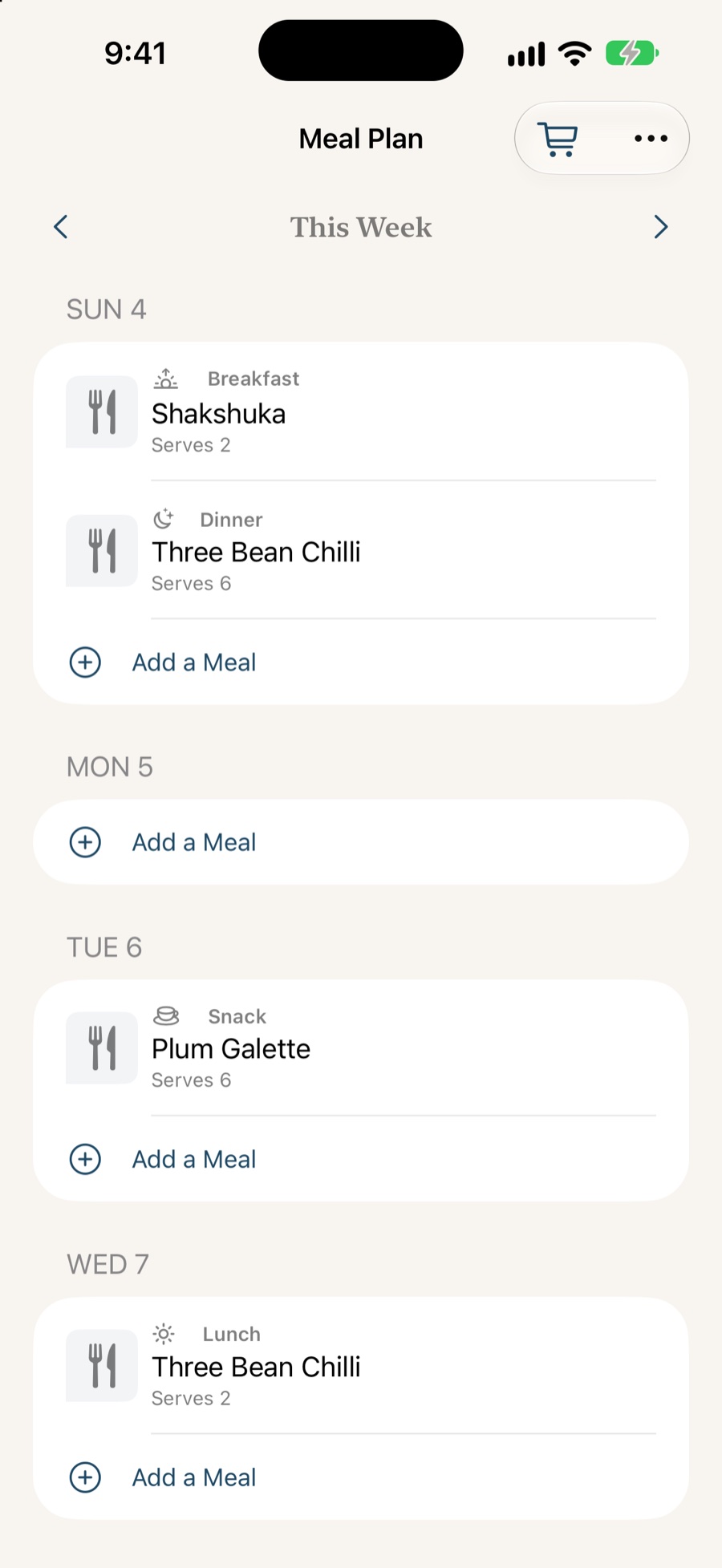
- Week tab — put saved recipes into breakfast, lunch, dinner or snack slots.
- Servings per meal — plan for the people eating that day without editing the original recipe.
- One grocery list — gather and scale the ingredients from the week’s meals, combine matching items and group them by aisle.
- Shop in Saucier — tick items off, share the list as text, or send unticked items to Reminders.
- Nutrition estimates in beta — approximate calories and macros with ingredient coverage and the source shown alongside the result. Apple Intelligence or your own USDA FoodData Central key can provide estimates.
Your library
- Search by name or ingredient, so “the one with the anchovies” is findable.
- Spotlight — your recipes appear in system search from the Home Screen.
- Categories and folders, with one-tap filtering.
- Hidden recipes for things you would rather not have on the front page.
- Home Screen widgets showing what you cooked recently.
- iCloud sync across iPhone and iPad, through your own account.
- Shared recipes over iCloud, so edits show up for everyone you cook with.
Editing
- Edit every line — ingredients, steps, servings, nutrition, notes.
- Re-parsed on save so edited amounts still scale and convert correctly.
- Sections — group ingredients and steps under their own headings.
- Bulk text editing for pasting a whole recipe in at once.
- Photos — use your own, pick another from the source page, or crop.
- Notes for what you would do differently next time.
- Drafts are safe — the editor keeps your changes until you save, and asks before discarding.
Sharing, import and export
- Import from Paprika —
.paprikarecipesand.paprikarecipeexports. - Import and export
.saucefiles — Saucier’s own format, backward compatible with every previous version. - Share a recipe as a file or as its original link.
- Reviewed imports — you see what came across, and what has nowhere to go, before anything is written.
The app itself
- Recipes, Week and Ask tabs keep the three main areas one tap away.
- iPhone and iPad, including side-by-side layouts on larger displays.
- iPhone Duo — library and recipe together when open, controls on the side bar when closed.
- Alternate app icons.
- Dark mode, properly.
- Dynamic Type — tested at the largest accessibility sizes, where controls stack rather than truncate.
- VoiceOver labels on every icon-only control.
- Reduce Motion honoured.
- Works offline — everything except saving something new from the web.
What Saucier does not do
Worth saying plainly, so you do not install it and go looking:
- No pantry tracking.
- No Mac, Windows, Android or web version — iPhone and iPad only.
- The weekly meal plan stays on the device where you make it; recipes still sync over iCloud.
- No recipe discovery feed. Saucier keeps the recipes you bring it.
If cross-platform access or a pantry is central to how you cook, there are apps that will serve you better, and this page says so in more detail.